
GUIDED WORKBOOK
Buy your next tool with more confidence.
Before you spend money on software, a platform, an app, or an AI tool, make sure you understand what your business really needs.
25 Questions Before You Buy Technology is a practical workbook that helps you clarify:
- What problem the technology must solve
- Who should be involved in the decision
- What the tool will really cost
- What your team will need to use it successfully
- What the vendor still needs to prove
Use it before your next demo, trial, vendor call, renewal, or purchase.
Get the Workbook for $29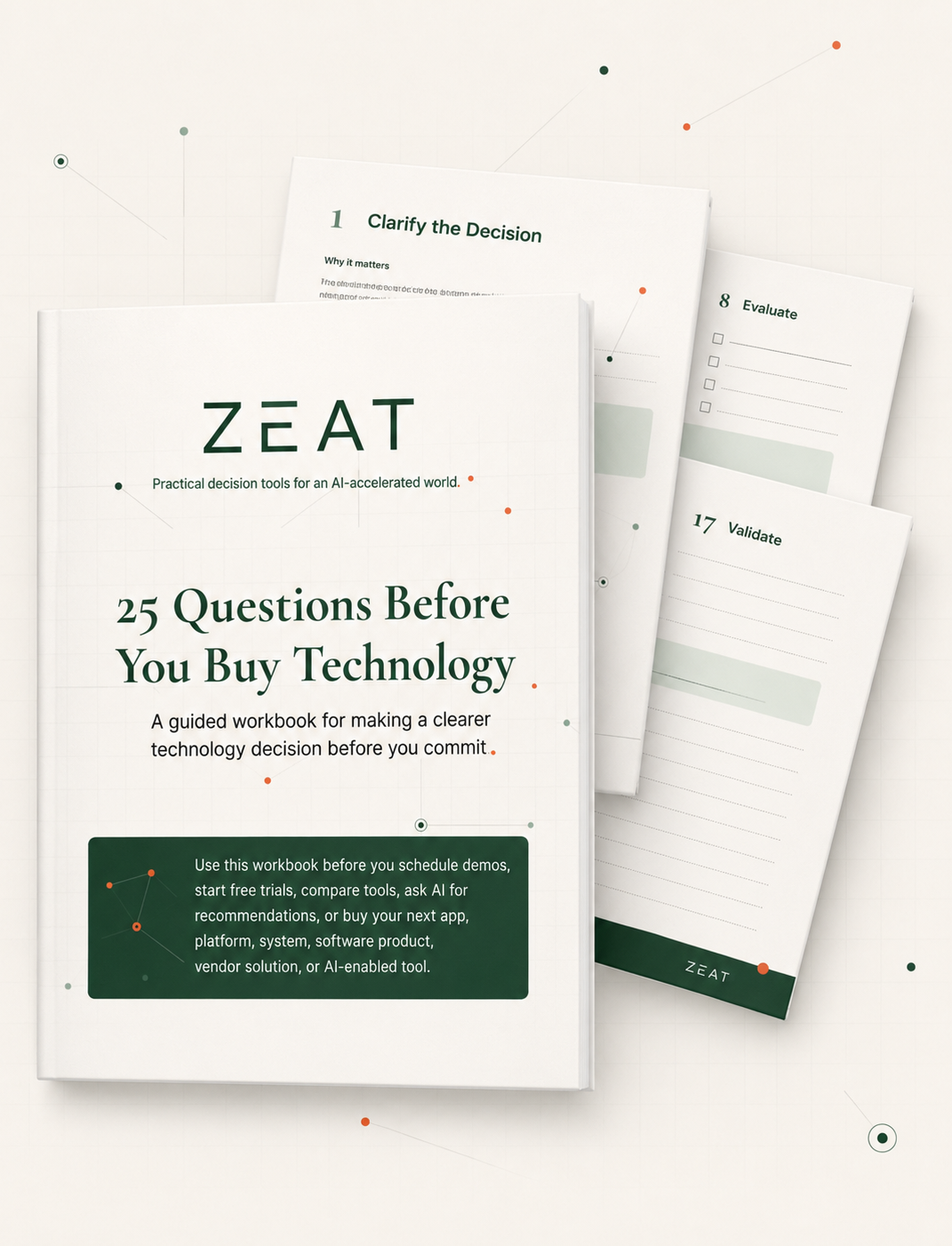
A tool can look simple to buy and still be complicated to live with.
The demo goes well. The monthly price looks manageable. The features sound promising.
Then the questions begin.
- Who will set it up?
- Does the plan you priced include the features you actually need?
- Will it work with your existing tools and data?
- Who will manage it after the person who selected it moves on?
- Will your team use it, or keep working around it with spreadsheets and manual processes?
- What will implementation, training, support, add-ons, and internal time really cost?
These questions are easier and less expensive to answer before you buy.
25 Questions Before You Buy Technology helps you work through them before a persuasive demo, familiar brand, peer recommendation, or vendor sales process starts shaping the decision for you.
Used the free checklist?
This is the next step.
The free Before You Buy Technology checklist helps you spot what may be missing from your decision.
This workbook helps you work through it.
You will move from a quick readiness check into 25 guided questions covering the problem, the people, the requirements, the full cost, and the options you are considering.
Each question includes practical guidance, examples, follow-up questions, and an AI prompt you can use to examine your answer more closely.
Free checklist:
Spot what you may be missing.
25 Questions workbook:
Work through the decision and buy with more confidence.
Get clear before you compare tools.
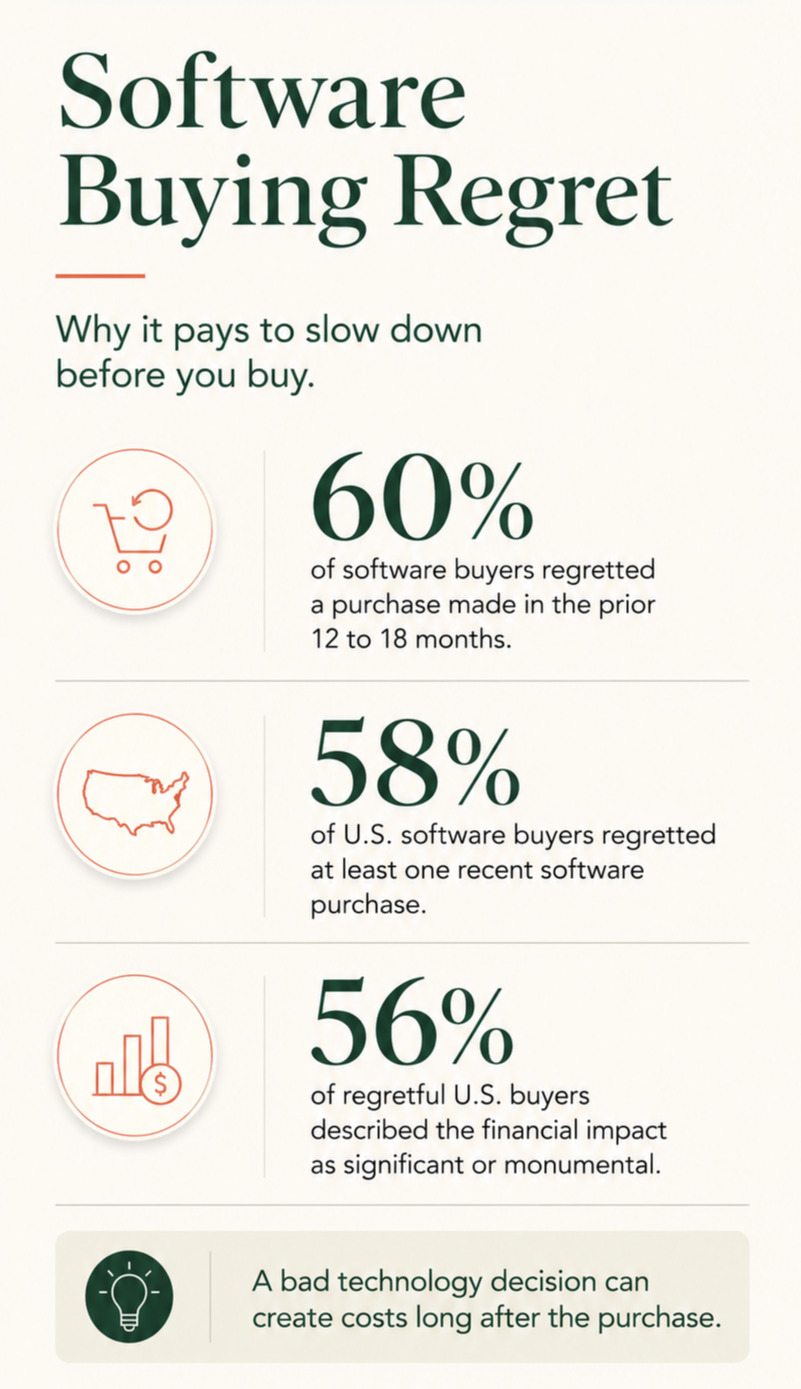
It is easy to start with demos, features, and prices before you are clear about what the business actually needs.
The workbook helps you work through five things that can prevent an expensive mistake:
- What problem are we trying to solve?
So you do not buy a tool that looks impressive but fixes the wrong problem. - Who will use and manage it?
So the tool does not become another subscription that nobody owns or fully uses. - What must it do?
So you can separate essential features from attractive extras that increase the price. - What will it really cost?
So setup, training, support, add-ons, data migration, and staff time do not come as a surprise. - What still needs to be proven?
So you know which vendor claims, assumptions, and unanswered questions to check before you commit.
When you finish, you should have:
- A clear reason for buying
- A practical list of must-haves and dealbreakers
- A more realistic budget
- Better questions for demos and vendor calls
- A list of what is confirmed and what still needs checking
- A clearer reason to buy, keep looking, or pause
You do not need a complicated purchasing process. You need enough clarity to avoid buying the wrong tool for the right-sounding reasons.
What is inside the workbook
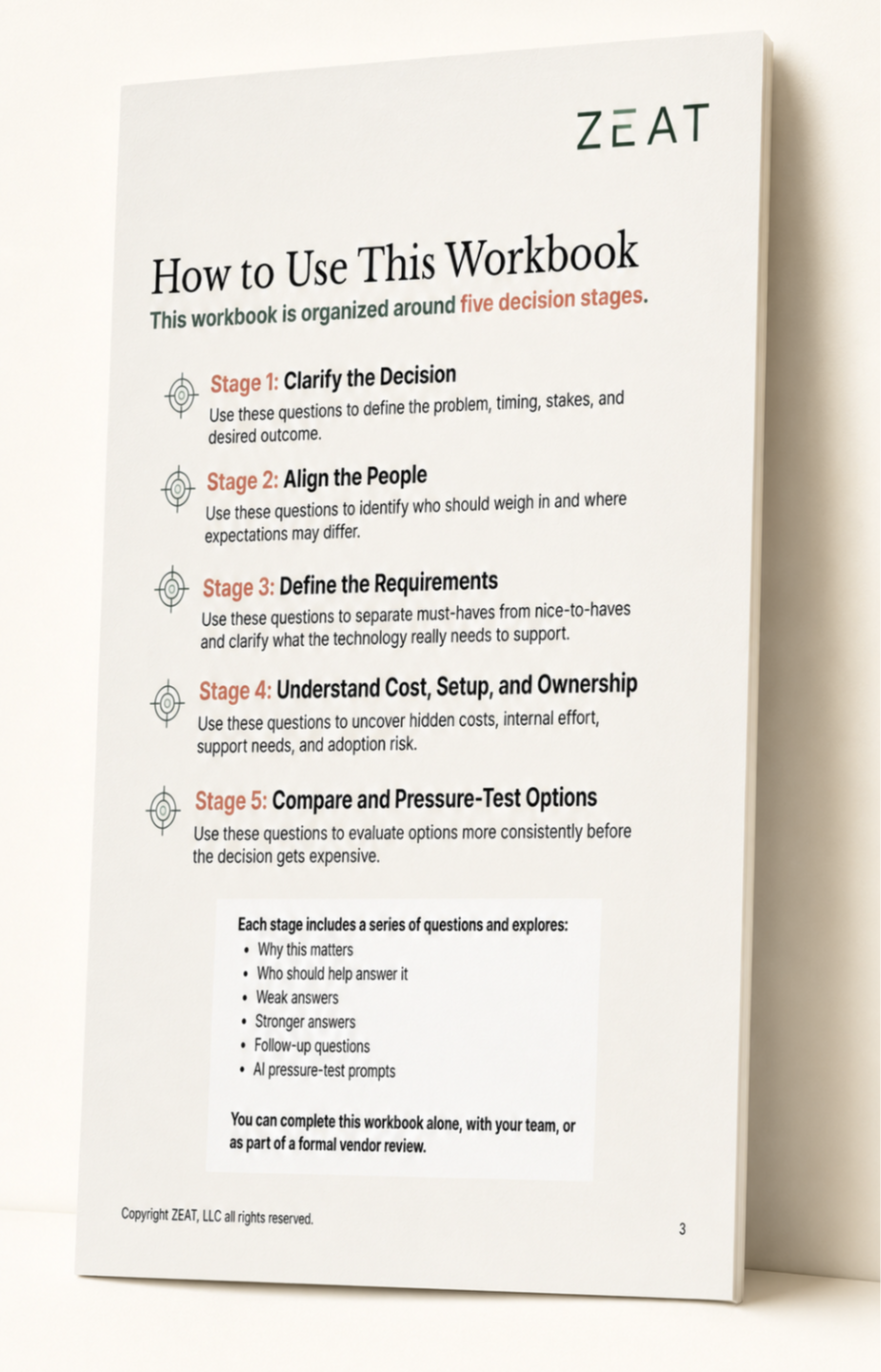
The workbook contains 25 practical questions across five sections.
1. Clarify the Decision
Define the problem, why it matters, what success should look like, and what happens if you do nothing.
2. Align the People
Identify who will use, manage, approve, fund, support, and be affected by the technology.
3. Define the Requirements
Separate true must-haves from preferences and identify the limits or dealbreakers that could rule out an option.
4. Understand Cost, Setup, and Ownership
Look beyond the advertised price to implementation, migration, training, integrations, support, add-ons, internal time, and ongoing management.
5. Compare and Test the Options
Compare products against the same business needs, examine tradeoffs, test vendor claims, and identify what still needs proof.
Every question includes:
- Why the question matters
- Who should help answer it
- Examples of weak and stronger answers
- Follow-up questions
- An AI prompt to help examine your assumptions
Use as much of the workbook as the purchase deserves.
You do not have to complete all 25 questions every time you buy a tool.
For a smaller credit-card purchase, use the sections most relevant to the decision.
For a larger platform, system replacement, or tool that affects several people, work through the full workbook with your team.
Answer what you know
Start with the information you already have. An unanswered question is useful because it shows you what to investigate.
Involve the right people
Use the workbook to guide conversations with the people who will use, manage, approve, support, or pay for the technology.
Turn unknowns into questions
Bring your unanswered questions into demos, trials, vendor calls, internal meetings, and contract reviews.
Keep the record
Your answers create a practical record of what the business expected and why the decision was made.
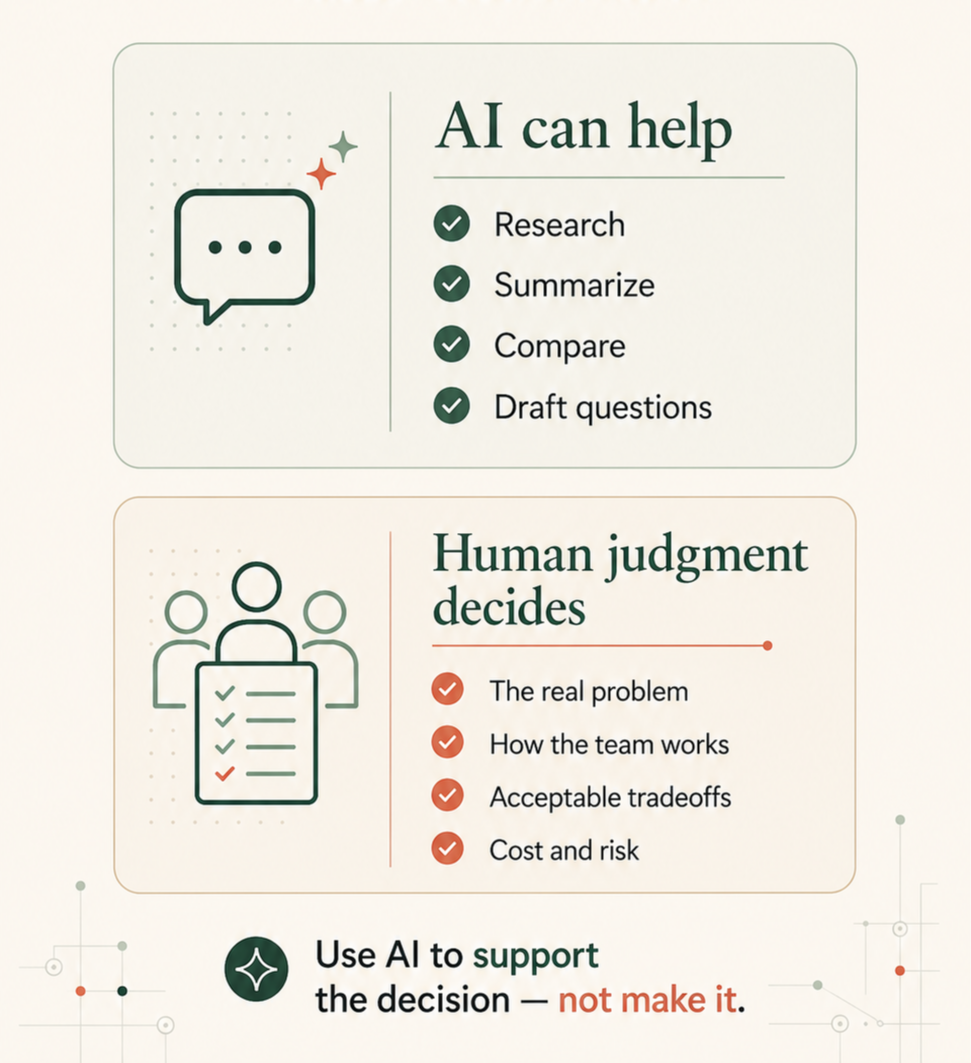
Use AI where it helps. Know where judgment still matters.
AI is now an important part of researching and comparing technology. It can help you:
- Find and organize information
- Summarize vendor materials
- Compare features and options
- Draft questions for demos and sales calls
- Identify issues you may not have considered
The workbook shows you when and how to use AI during the buying process, including prompts you can use with each question.
It also helps you recognize what AI cannot decide for you.
AI does not know:
- Which problem matters most to your business
- How your team actually works
- Whether people will use the tool
- Which tradeoffs you are willing to accept
- Whether a vendor’s claims are complete or accurate
- What level of cost, risk, or disruption is right for your business
Those decisions still require human judgment, conversations with your team, and proof from the vendor.
The workbook helps you focus on what you need to decide, use AI to support the work, and know what still needs to be checked before you buy.
Built for people choosing technology without a large purchasing team.
You do not need to be a technology expert or procurement professional.
The workbook is designed for business owners, founders, operators, marketers, product leaders, team managers, and anyone responsible for selecting technology their business will need to fund, use, and manage.
Use it when you are:
- Buying software online with a company credit card
- Comparing two or three tools
- Choosing a platform for your team
- Replacing a system that no longer fits
- Reviewing a subscription before renewal
- Evaluating an AI-enabled product
- Preparing for a demo or vendor call
- Considering a purchase that will affect several teams or workflows
The larger the cost, disruption, or number of people involved, the more thoroughly you can use the workbook.
Created from experience on several sides of the decision.
ZEAT founder Kathy Greenler Sexton has bought software on a company credit card, negotiated technology contracts, worked with professional purchasing teams, led technology teams, and served as an executive in businesses that built and sold technology to other organizations.
She has seen what buyers ask, what sellers emphasize, what gets lost between the demo and the contract, and what teams have to live with after the sale.
This workbook brings those lessons forward so you can ask better questions before you buy.

Frequently Asked Questions
Is this only for large technology purchases?
Do I need to complete all 25 questions?
Do I need to be technical?
How is this different from the free checklist?
Can I use the workbook with my team?
What do I receive?
Can AI just tell me which tool to buy?
Get clearer before you commit.
One overlooked add-on, unused subscription, or hour of avoidable rework can cost more than this workbook.
Use the 25 questions before your next demo, trial, vendor call, renewal, or purchase.
Move forward with clearer priorities, stronger questions, and more confidence in the decision.
Get the Workbook for $29